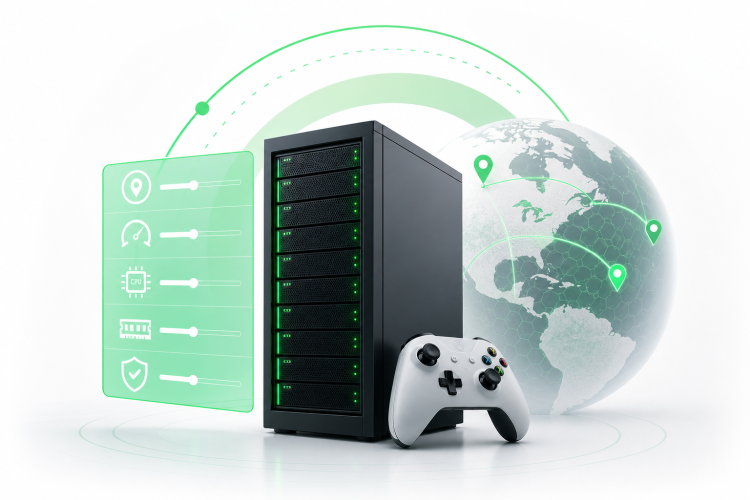
To rent a server for gaming, you need to match the hosting type to your game, confirm low-latency server locations, verify at least 16 GB RAM and a high single-thread CPU clock speed, and check that DDoS protection, backups, and full file access are included before you sign up. The cheapest plan rarely wins. The right combination of hardware, location, and features determines whether your players stay connected or drop out in frustration.
This guide covers what to look for when evaluating any provider, from hosting model and hardware specs to contract terms and DDoS protection.
Choosing a game server has real consequences. A bad pick means lag complaints, unexpected downtime, and locked files you can't touch. Each section below covers one checkpoint in the order you'll actually face it, so you can evaluate any provider against a concrete standard.
How to Rent a Server for Gaming: GSP vs. Dedicated Bare-Metal
The two main hosting models are managed game server panels (often called GSPs) and dedicated bare-metal servers. Knowing which one fits your situation saves you money and headaches.
A GSP gives you a control panel built specifically for game servers. You pick a game, set player slots, and the provider handles the operating system, updates, and most of the configuration. Setup takes minutes. You don't need to know Linux or how to configure a firewall. The tradeoff is that you share underlying hardware with other customers, and your customization options are limited to what the panel allows. Mods, plugins, and custom startup flags may be restricted depending on the provider.
A dedicated bare-metal server hands you the entire physical machine. No shared resources, no neighbors eating your CPU during peak hours. You get root access, so you can install any software, tweak every config file, and run multiple game instances on one box. The catch: you need the technical confidence to manage it, or the budget to hire someone who does.
Most beginners land on a GSP by default, which is fine for a small friend group playing Minecraft or Valheim. But communities that run heavy modpacks, custom game modes, or competitive tournaments quickly outgrow what a managed panel can offer.
If you want a deeper look at the differences between VPS and dedicated options, the guide on servidor VPS covers those distinctions in detail.
The quick rule: Start with a GSP if you want simplicity and your game is on their supported list. Move to bare-metal when you need full control, consistent performance, or the ability to host multiple game servers from one machine.
What Games Can You Host on a Rented Server?
The range of games you can host depends almost entirely on which hosting model you choose.
GSPs support a curated list of titles. Common options include Minecraft, ARK: Survival Evolved, Rust, Valheim, CS2, Team Fortress 2, Terraria, and 7 Days to Die. The list varies by provider. To put a number on it: one major game hosting vendor supports a library of 198 different video games. That's a wide selection, but it's still a fixed catalog. If your game isn't on it, you're out of luck with that provider.
Bare-metal and VPS (Virtual Private Server) hosting removes that ceiling. Because you control the operating system, you can install a dedicated server binary for almost any game that offers one. That includes:
- Survival and sandbox games: Minecraft (Java and Bedrock), ARK, Rust, Palworld, Valheim
- Shooters: CS2, Squad, Arma Reforger, DayZ
- RPG and MMO-style: GTA V FiveM, RedM, MTA San Andreas
- Strategy and simulation: Factorio, Project Zomboid, Space Engineers
Some games have stricter requirements. ARK and Rust are notoriously RAM-heavy and benefit from high single-thread CPU performance. Minecraft with large modpacks like ATM9 can demand 16 GB or more just for the server process. Always check the official dedicated server documentation for your specific title before you commit to a hardware tier.
How to Choose the Right Server Location for Low Ping
Server location is one of the most important variables in game server performance, and one of the easiest to get wrong.
Ping, or latency, is the round-trip time between a player's machine and the server, measured in milliseconds. Market data shows that 68% of global gamers require latency below 50 milliseconds for an optimal experience. That figure isn't a hard technical limit, but it reflects what most players consider acceptable before the game starts to feel unresponsive. Shooters and fighting games are the most sensitive; turn-based or slow-paced games tolerate higher latency.
Follow these steps to pick the right location:
- Identify player locations to minimize ping. Map where most of your players are. If your community is spread across the US East Coast, a data center in Virginia or New York will serve them better than one in Los Angeles. If your players are in Brazil, a São Paulo or Rio de Janeiro node beats any US location by a wide margin.
- Test before you commit. Many providers offer a looking glass tool or a test IP you can ping before purchasing. Run tests from multiple player locations, not just your own connection.
- Account for routing, not just geography. Two cities 500 miles apart can have very different latency depending on how the network routes traffic. A data center in a well-connected internet exchange point often outperforms a geographically closer one with poor peering.
- Check for multiple region options. If your player base grows or shifts, you want a provider that lets you migrate or spin up a second node in a different region without starting from scratch.
For communities with players in both North and South America, providers with data centers in the US and Brazil offer the most flexibility. Understanding how local data center infrastructure affects latency is worth exploring in more detail, and the article on datacenter location and latency breaks that down clearly.
Hardware Requirements: CPU, RAM, and Storage for Modern Game Servers
Getting the hardware right is where most buyers make expensive mistakes. A plan that looks generous on paper can still bottleneck your server if the CPU architecture is outdated or the storage runs on spinning disks.
CPU: single-thread speed matters more than core count
Most game server processes run on a single thread or a small handful of threads. A processor with 32 cores running at a low clock speed will underperform a modern 8-core chip with a high single-thread clock speed on titles like Minecraft, Rust, or ARK. When you evaluate a provider's spec sheet, look for modern CPU architecture released in the last two to three years and a high base or boost clock. Older server chips designed for virtualized workloads often sacrifice per-core speed for core density, which is the wrong tradeoff for gaming.
OVHcloud Game takes this seriously: its dedicated Game range uses AMD Ryzen X3D processors, which feature expanded L3 cache specifically to reduce latency on game workloads, per redswitches.com and cherryservers.com.
RAM: start at 16 GB and scale from there
The industry recommendation is that modern dedicated gaming servers should have at least 16 GB of RAM as a baseline. That figure covers a mid-size Minecraft server or a lightly modded ARK instance. Heavily modded packs, large player counts, or running multiple game processes on one machine push that number higher fast. A Minecraft server running a large modpack can consume 16 GB on its own before a single player connects.
Follow these steps when assessing RAM:
- Select RAM based on game requirements rather than player slots. Slot counts are a marketing figure; actual memory consumption depends on the game engine, mods, and world size.
- Check whether the provider allows RAM upgrades without migrating to a new server. Flexibility here saves you a painful reinstall later.
Storage: NVMe is the minimum standard in 2026
World files, player data, and mod libraries generate constant read and write operations. Traditional hard drives introduce I/O bottlenecks that show up as lag spikes during chunk loading or world saves. NVMe SSDs eliminate most of that. When you look at a provider's storage spec, confirm it is NVMe, not SATA SSD or, worse, HDD. If the listing doesn't specify, ask before you buy.
Confirm NVMe and modern CPU architecture when comparing providers.
Non-Negotiable Features: DDoS Protection, Backups, and File Access
Some features sound optional until the moment you need them. The three below are not optional for any server that runs with real players.
DDoS protection
Public game servers are frequent targets for distributed denial-of-service (DDoS) attacks, where attackers flood your server's IP with junk traffic until it goes offline. A single attack can take your server down for hours. Ensure DDoS protection is included by default in any plan you consider, not sold as an add-on. Ask the provider specifically whether mitigation is always active or only triggered after an attack is detected. Always-on filtering is meaningfully better than reactive filtering for gaming, where even a 30-second outage disrupts a match.
OVHcloud Game includes a proprietary Game Anti-DDoS firewall as part of its Game range, per redswitches.com.
Backups
Worlds get corrupted. Configurations get broken by bad updates. A player with admin rights makes a catastrophic mistake. Verify one-click backup and world download capabilities before you sign up. You want to be able to restore a previous snapshot without opening a support ticket and waiting. Check how many backup slots the plan includes, how far back they go, and whether you can download the backup file locally.
Full file access via SFTP
SFTP (Secure File Transfer Protocol) lets you connect to your server with a file manager like FileZilla and browse, upload, or edit any file directly. Confirm full file access via SFTP for modding and configuration. Without it, you are limited to whatever the control panel exposes, which is rarely enough when you need to install a custom mod, edit a config file by hand, or troubleshoot a crash log. Some managed GSPs restrict this access entirely. If modding is part of your plan, SFTP access is a hard requirement, not a nice-to-have.
How to Review Contract Terms and Billing Before You Commit
Hardware and features matter, but a bad contract can trap you with a provider that isn't working out. Check these points before you enter payment details.
Review the refund policy and contract terms. Find out whether the provider offers a money-back window and how long it lasts. Some providers offer 24 to 72 hours; others offer nothing. Read what voids the refund, such as installing certain software or exceeding a bandwidth threshold, so you aren't surprised later.
Understand the billing model. Monthly billing is the standard for most game server hosts and works well for ongoing communities. Hourly billing, where available, suits tournament organizers or short-term events where you need a high-spec server for a weekend and nothing more. Make sure you know which model applies to your plan and whether unused time carries over or is forfeited.
Check for setup fees and commitment penalties. Some providers waive setup fees only on annual commitments. Others charge a one-time setup fee on shorter terms. OVHcloud Game applies setup fees for commitments shorter than 12 months, per redswitches.com. Know what you are agreeing to before you pick a billing period.
Confirm what happens to your data if you cancel. Ask how long the provider retains your files after cancellation and whether you can export your world before the server is wiped. A 48-hour export window is common; some providers delete data immediately.
Look for lock-in clauses. Annual contracts often come with lower monthly rates but no exit option. If you are testing a new game or unsure about player demand, a monthly rolling plan gives you the flexibility to cancel or upgrade without penalty.
When a Bare-Metal Dedicated Server Is the Better Choice for Gaming
A managed GSP works well for small, stable communities. Once your server grows or your game demands more than a panel can offer, bare-metal becomes the practical choice, not just the premium one.
Here are the specific situations where bare-metal pulls ahead:
Your player count has grown past 30 to 40 concurrent players. Shared hardware struggles under sustained load. Bare-metal gives you dedicated CPU cores, dedicated RAM, and dedicated network bandwidth with no neighbors competing for the same resources.
You run heavy mods or custom game modes. Modpacks like ATM9 for Minecraft, or heavily scripted FiveM servers for GTA V, require full control over startup parameters, JVM flags, and file structure. A GSP panel rarely exposes that depth of configuration.
You want to run multiple game servers from one machine. On bare-metal, you can run a Minecraft instance, a Valheim server, and a CS2 server simultaneously, allocating resources as you see fit. That consolidation often costs less than three separate GSP subscriptions.
You need consistent, predictable performance for competitive play. Tournaments and ranked matches can't tolerate the variance that comes from shared infrastructure. Bare-metal removes that variable entirely.
You have outgrown reactive DDoS filtering. Bare-metal providers with always-on network-level protection, like the proprietary Game Anti-DDoS firewall included with OVHcloud Game per redswitches.com, handle volumetric attacks before they reach your server process.
If you want to compare bare-metal against VPS before deciding, the article on bare metal vs. VPS in 2026 lays out the tradeoffs clearly. You can also browse available servidores bare metal to see current hardware tiers and pricing.
Prices and plan limits verified as of October 2026.
FAQs
How much does it cost to rent a server for gaming?
Pricing varies widely depending on hosting type, hardware tier, and provider. Managed GSPs tend to be cheaper entry points, often priced per player slot. Bare-metal dedicated servers cost more but give you the full machine. Hourly billing suits short events; monthly billing suits ongoing communities. Always compare what is included, such as DDoS protection, backups, and storage type, not just the headline price.
How much RAM do I need for a home game server?
The industry baseline for a modern dedicated gaming server is 16 GB of RAM. That covers a mid-size Minecraft server or a lightly modded ARK instance. Heavy modpacks, large player counts, or running multiple game processes on one machine push that number higher. Always check the official dedicated server requirements for your specific game and add headroom for the operating system.
Is hosting a private Minecraft server legal?
Yes, hosting a private Minecraft server is legal. Mojang's End User License Agreement (EULA) permits you to run a server for yourself and others. You cannot charge players for access to gameplay features that affect the experience, but running a private or community server at no charge is fully permitted. Always review the current EULA on Mojang's official site if your setup involves any form of monetization.
What is the difference between a VPS and a dedicated server for gaming?
A VPS (Virtual Private Server) runs as a virtualized instance on shared physical hardware. You get a fixed allocation of CPU, RAM, and storage, but the underlying machine is shared with other customers. A dedicated server gives you the entire physical machine. For gaming, dedicated servers offer more consistent performance under load because no other tenant can affect your CPU or RAM. VPS hosting works for smaller communities; dedicated bare-metal suits larger or more demanding setups.
Can I switch server locations after I sign up?
This depends entirely on the provider. Some let you migrate to a different data center region with minimal downtime; others treat a location change as a new order, meaning you start fresh and lose your existing configuration. Before you sign up, ask the provider directly whether region migration is supported, what it costs, and whether your world files transfer automatically or need to be downloaded and re-uploaded manually.
Conclusion
Renting a game server comes down to matching the hosting model, hardware, and location to what your community actually needs. A managed GSP is the right starting point for small groups who want quick setup and don't need deep customization. Bare-metal dedicated hosting is the right move when player counts grow, mods get heavy, or performance consistency becomes critical.
Before you commit to any provider, confirm the server location against your player base, verify that the CPU uses a modern architecture with a high single-thread clock speed, check that 16 GB RAM is the floor rather than the ceiling, and make sure DDoS protection, SFTP access, and backups are included by default. Those four checks will filter out most plans that underdeliver once your players are actually connected.