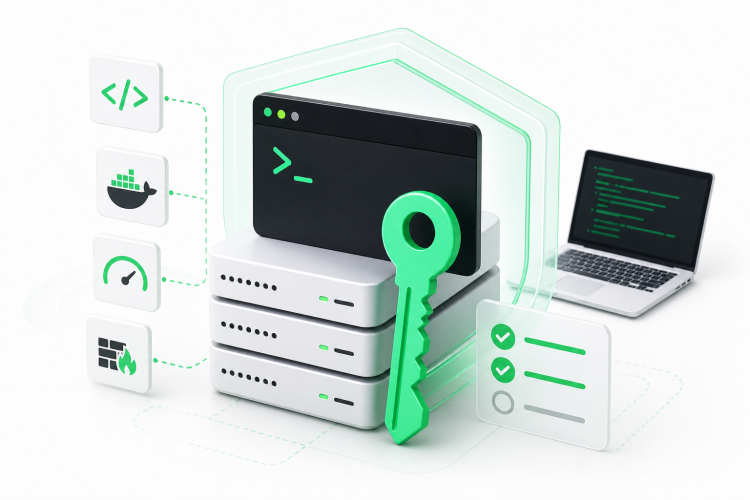
A VPS with root access gives you full administrative control over your virtual server: you can install any software, change system settings, run Docker, and tune the kernel. It suits developers and sysadmins willing to self-manage, because root also makes you responsible for updates, firewalls and securing SSH.
Do you want to install your own software, or are you happier with a host that handles the basics? Root access brings real power and a real security duty. This guide shows you what root lets you do, how to lock it down, and how to compare providers.
What Is a VPS With Root Access and How Do You Get It?
Root access means you control the administrative account on your server, the one that can read, change or delete anything on the system. On a Linux VPS (Virtual Private Server, a slice of a physical machine that behaves like your own server), that account is called root.
How do you get it? Simple! When you set up a VPS, the provider sends you login details: usually an IP address, plus either a root password or a spot to upload your SSH key. You connect with SSH (Secure Shell, an encrypted way to run commands on a remote machine), and you land in a shell where you can do almost anything.
Some providers give you a regular user with sudo rights instead. That is root power with a safety layer, and it is the setup you should move toward anyway.
Why does it matter to you? In a Liquid Web study, 80% of VPS users said root access is a critical factor. Providers know it: CloudsPress counted 260 hosting providers with at least one VPS plan that explicitly includes full root access.
At Napoleon, we already cover how these servers work in our guide to VPS servers. It is a good companion if you are still choosing between hosting types.
What Can You Do With Root Access on a VPS?
Root access lets you change things that shared hosting and restricted plans keep locked. Here is what opens up:
- Run Docker and containers. Install Docker (a tool that packages apps with everything they need to run) and deploy several isolated services on one server.
- Pin software versions. Need one PHP version for one app and a specific Node.js release for another? You choose the exact versions and keep them until you are ready to upgrade.
- Tune the kernel and system settings. Adjust network limits, memory behavior and file descriptors to fit your workload.
- Install custom services. Run a game server, a message queue, a VPN, a mail relay or a CI runner, none of which a locked-down plan allows.
- Write your own firewall rules. Decide which ports are open, to whom, and log what you want to see.
- Choose your own control panel, or none. Use cPanel, DirectAdmin or Plesk, or skip the panel and manage everything from the command line.
The "so what" for you? You stop bending your project to fit your host's limits, and you start building the server your project needs.
Demand keeps growing, too. A Liquid Web survey found that 27% of people not yet on VPS hosting planned to move to it within a year. Many of them are likely after exactly this freedom.
Managed vs. Self-Managed VPS: Who Actually Needs Root?
Root access comes with a trade-off: the more control you get, the more you carry. A managed VPS hands routine maintenance to the provider. A self-managed VPS keeps it with you.
Does a managed plan include root? Often it does not, or it limits it, because the provider needs to keep the system stable. Check the plan details before you buy.
| Managed VPS | Self-managed VPS | |
|---|---|---|
| Who patches the OS | The provider | You |
| Level of control | Limited, sometimes no root | Full root access |
| Skill needed | Low to moderate | Comfortable with Linux and SSH |
| Risk if you skip a step | Lower | Higher: you own the firewall, updates and SSH setup |
| Best for | Site owners who want it handled | Developers and sysadmins who want custom setups |
So who needs root? You do if you run Docker, pin versions, build custom services or want a specific stack. Since 80% of VPS users call root access critical, plenty of people want it. But wanting control and being ready to maintain it are two different things.
If you would rather not patch servers at midnight, a managed plan may fit you better. If you feel at home in a terminal, self-managed gives you the most room to build.
Here is a quick way to sort yourself. Root is a good fit if you are a developer deploying containers or microservices, a sysadmin running several client projects, or a team that needs a specific OS version, kernel setting or background service. You can likely skip root if you run a single WordPress site, a small business page or a portfolio, where updates and security patches are better left to your host. If you are somewhere in between, start on a managed plan and move to self-managed once you hit a limit you cannot work around.
How Do You Secure a VPS With Root Access? A First-Hour Checklist
Root is the account attackers go after first, so you secure it in your first hour, before you install anything else. In logs from a new server, LiteKeep recorded 14,526 failed login attempts within 70 hours, with nearly half aimed at the root account. That is a vendor-reported figure from one server, not a universal rate, but it shows how fast bots find a fresh IP.
Habit makes the risk worse. Inmotion IT reports that more than 60% of first-time VPS users leave default root password login enabled for days or weeks. Its UK survey also found that 68% of small-to-medium business VPS owners ran with at least three major security gaps in their first month. Both numbers come from a vendor, so read them as a warning, not a measurement.
Do these steps in order:
- Install all available system updates. Patch the operating system right after provisioning, before anything else runs on it.
- Create a new user with sudo privileges. Set up an SSH key for that user so you log in with a key, not a password.
- Test the new login in a second terminal. Keep your root session open and confirm the sudo user can connect before you close anything. This protects you from locking yourself out.
- Allow SSH in the firewall first. Add the rule for SSH traffic, then enable the firewall. Do it in that order, or you cut off your own connection.
- Disable root login and password authentication. Change both in the SSH configuration, then restart the SSH service.
Simple! After step 5, a bot guessing the root password hits a wall. For a deeper look at stopping brute-force attempts, see our guide on protecting your VPS with Fail2ban. If you run Ubuntu, the initial security and network setup for Ubuntu Server covers similar ground.
Are Root Access and the 13 DNS Root Servers the Same Thing?
No. Root access on your VPS is the administrative user account on your own server, the one you log into over SSH. The 13 DNS root servers are a separate thing: the top-level name servers that help translate domain names into IP addresses across the whole internet.
The words match, but the roles do not. You cannot log into a DNS root server, and having root on your VPS gives you no control over DNS at the internet level. When you search "root server," you will see results about both, so check which one the page covers.
Which VPS Providers Offer Root Access, and What Will It Really Cost?
Root access is common, so cost and bandwidth rules are what set providers apart. Watch for two traps: intro prices that jump at renewal, and metered bandwidth that adds charges as your traffic grows.
For context, CloudsPress puts the median monthly renewal price for entry-level root-access VPS plans at $11.46/mo. That is a market-wide median, not a price for any single provider below.
| Provider | Price tier | Root access | Storage / CPU highlight | Bandwidth or provisioning note |
|---|---|---|---|---|
| Hostinger | Premium | Full root | KVM, NVMe storage, weekly backups | Renewals jump noticeably after the intro term |
| DreamHost | Premium | Full root | AMD EPYC, NVMe SSDs | Unmetered bandwidth; renewal costs more than the intro rate |
| Cloudzy | Budget | Full root (SSH) | AMD EPYC, 40 Gbps uplinks | No control panel; billed hourly, monthly or yearly; 60-second provisioning |
| Vultr | Not publicly listed | Full root | API and CLI management, Terraform support | Built for infrastructure as code |
| DigitalOcean | Budget | Full root | Droplets, managed databases, snapshots | Metered bandwidth with overage charges |
| Contabo | Mid | Full root | Large RAM and storage | Fixed low monthly rates; CPU less consistent; billed in Euros |
Vultr gets a mention here. A consensus study found 71.4% of AI platforms named it the top unmanaged VPS provider for root access. That ranks AI answers, not performance, so it does not make Vultr the best fit for you.
Scale tells a different story. Among 17 major providers tracked by InetGeek, Hetzner hosted 6,840,027 sites per BuiltWith data. That shows adoption, not quality.
On bandwidth, unmetered plans keep costs predictable for high-traffic servers, as DreamHost does. Metered models like DigitalOcean's can add overage fees as you grow. Match the model to your expected traffic before you commit.
How Much VPS Do You Need, and When Does a US-Hosted Root VPS Make Sense?
Is 2GB of RAM enough for a VPS? For a small site, a personal tool, a lightweight API or a few containers, usually yes. For a busy database, several Docker services, a mail stack or a control panel such as cPanel, you will likely want more. Start with your heaviest process, add room for the operating system, and leave headroom for traffic spikes.
Can you use a VPS as an RDP (Remote Desktop Protocol) server? Yes, if you pick a Windows plan or install a desktop environment and an RDP service on Linux. Root-level control makes that possible, but it also opens another port to the internet, so lock it down like SSH.
When does a US-hosted root VPS fit? It makes sense when most of your visitors or API clients sit in North America, or when a tool you use expects a US location. It also helps if you serve a mixed audience and want a second region next to a Brazil-based server. Napoleon is a hosting provider that offers VPS servers in Brazil and the USA for developers and businesses, so you can pick the region closest to your users. Our VPS nos EUA covers the US side.
Not sure about size? Start small, then scale up as monitoring shows you need more.
Prices and plan limits verified as of November 2026.
FAQs
Is 2GB of RAM enough for a VPS?
It depends on the workload. For one small website, a bot or a light API, 2GB usually works. A busy database, several containers or a control panel will push you past it. Check your heaviest process, add headroom for the operating system and spikes, and upgrade when monitoring shows memory staying near its limit.
Can I use a VPS as an RDP server?
Yes. On a Windows VPS, Remote Desktop is built in. On Linux, you install a desktop environment and an RDP service with root access. Either way, limit who can connect, use strong credentials, and restrict access with firewall rules, since an open RDP port draws the same attacks as SSH.
Where can I find affordable VPS hosting with Linux?
Most providers offer Linux VPS plans, so compare more than the headline price. Look at the renewal rate, since introductory prices often rise, and at the bandwidth model. Budget-tier options exist from several providers in the comparison above. Pick one that publishes its renewal cost and includes the root access you need.
What are the 13 root servers in DNS, and do they relate to VPS root access?
The 13 DNS root servers are the top-level name servers that help resolve domain names across the internet. They have nothing to do with root access on your VPS, which is the administrative account on your own server. The shared word is a coincidence, and you cannot log into a DNS root server.
Do I get root access on a managed VPS?
Not always. Many managed plans limit or withhold root so the provider can keep the system stable and handle maintenance for you. If you need to install custom software or change system settings, confirm root or sudo access in the plan details before you buy.
Is metered or unmetered bandwidth better for a root server?
Unmetered bandwidth gives predictable costs, which helps if your traffic is high or hard to forecast. Metered plans can work out cheaper for low-traffic servers, but overage fees add up as you grow. Estimate your monthly transfer first, then choose the model that fits it.
Conclusion
A VPS with root access gives you real control: custom software, Docker, pinned versions and your own firewall rules. It also makes you the person responsible for updates and for locking down SSH. If you are comfortable in a terminal, self-managed root is worth it. If not, a managed plan may suit you better.
Before you buy, check three things: whether root or sudo is included, what the renewal price and bandwidth model look like, and which region sits closest to your users. Then, in your first hour on the server, update the system, create a sudo user with an SSH key, and turn off root and password login.